Homestyler - Home Design Game
- 3.3
- Rating
- 10.00M
- Installs
- Free
- Price

 Analysis by App-foxy
I approached Homestyler as a practical home-planning tool rather than a game, and that distinction matters. It is a free House & Home app from HomestylerApp that lets you explore interior ideas in three dimensions, arrange rooms, and make design decisions without immediately moving furniture around in real life. My first impression was that it sits between a mood board and a lightweight room planner: more interactive than collecting inspiration images, but less demanding than professional CAD software.
The appeal is easy to understand. If you are wondering whether a sofa will overwhelm a living room, whether a dining table leaves enough circulation space, or how a different decorating direction might feel, a visual model can answer those questions faster than imagination alone. I found the app most useful when I treated it as a way to compare possibilities, not as a substitute for exact architectural planning.
How the current app feels in everyday use
The current version is 12.6.1, and the app has been available since July 30, 2013. That long history is noticeable in the overall idea: this is not a one-purpose photo editor or a simple catalog. It is built around repeatedly creating, adjusting, and reviewing spaces. The store summary calls it easy 3D home design for everyone, and I think that captures the intended audience better than describing it as a professional design package.
You May Also Like

 AccuWeather: Weather Radar
AccuWeather Review: A Quick, Clear Forecast for Everyday Decisions
For everyday plans, the best forecast is the one you can understand quickly. AccuWeather makes rain timing, radar, and local conditions easy to act on, with a few trade-offs.

 Hill Climb Racing
Why Hill Climb Racing Still Turns Crashes Into One More Run
A tiny car, a bumpy hill and one more upgrade: Hill Climb Racing keeps resurfacing because its simple chaos makes every near-miss feel personal.

 AliExpress - Shopping App
AliExpress Makes Global Shopping Feel Personal, but Shoppers Bear the Risk
AliExpress turns a global marketplace into a pocket-sized discovery engine. Its reach is useful, its shopping loop compelling, and its trade-offs easy to miss.

 Lords Mobile: Kingdom Wars
Lords Mobile Is a Kingdom-Building Routine, Not a Quick Match
A case-by-case verdict on the building, battles, device demands, and social commitments that make Lords Mobile rewarding for some players and exhausting for others.

 PDF Scanner app - TapScanner
TapScanner Makes Paperwork Easier to Capture, Check, and Share
TapScanner makes scanning with a phone feel less like a rescue operation and more like a dependable step in getting work done. Its capture tools are useful, though not flawless.

 Block Blast!
 Shows How Much a Puzzle Game Can Leave Out
A quiet grid game shows why puzzle players increasingly value instant clarity, repeatable skill and low-pressure play—and where the genre still needs to catch up.
More From Our News Desk
View All News


Starting a room is the first important decision. I recommend beginning with the space that is causing a real problem, such as a narrow bedroom or an unfinished lounge, instead of trying to design an entire home immediately. A small test room gives you time to learn how placement, viewing angles, and decoration choices work before the project becomes complicated.
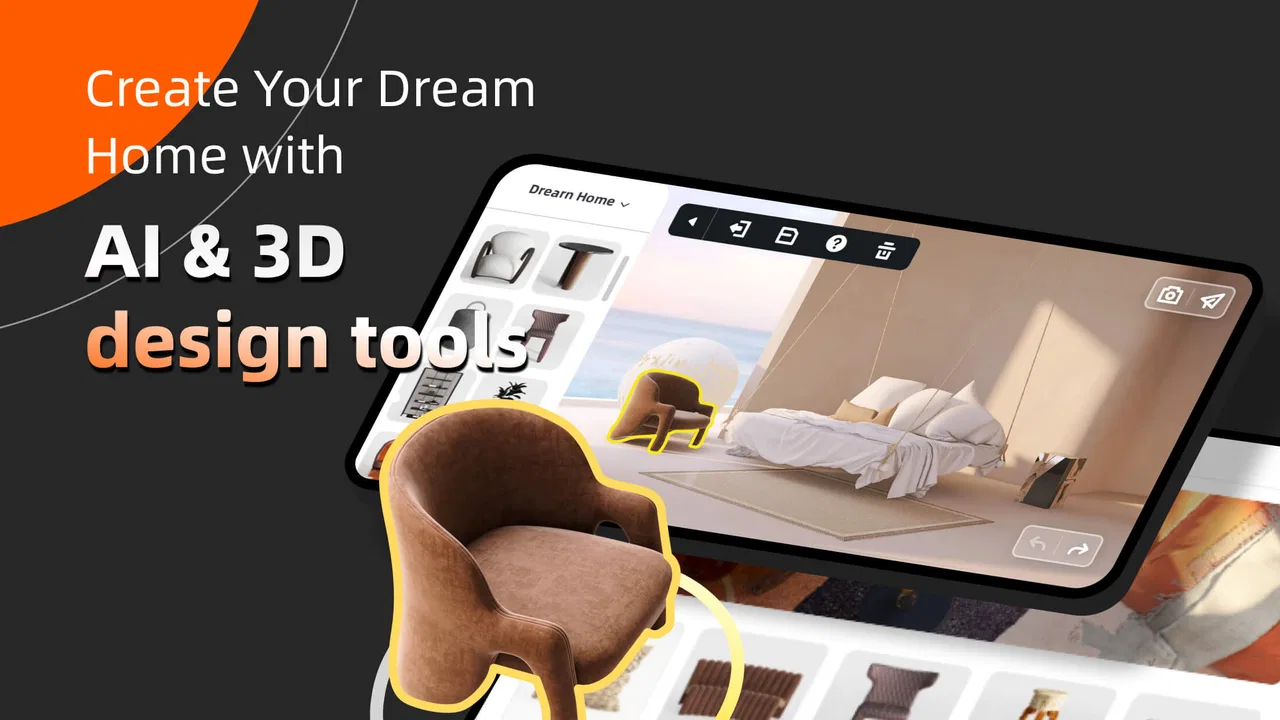
The three-dimensional view is the app’s strongest reason to exist. A flat sketch can show where an object sits, but a 3D view helps me judge visual weight, height, and the relationship between pieces. I can look at a room from different positions and notice issues that are easy to miss from above. A cabinet may fit on a floor plan yet dominate the sightline from the doorway; a rug may look correctly sized from above but feel too small when the rest of the room is visible.
That said, the experience is not completely effortless. Designing on a phone means working with a smaller screen than a laptop or tablet, and precise adjustments can take patience. I sometimes had to slow down and check the camera view rather than trusting a quick drag. This is a useful creative app, but it rewards careful handling more than hurried tapping.
A realistic weekend planning scenario
Imagine that I am replacing the furniture in a rented living room. I know the approximate wall arrangement, but I am unsure whether a larger sofa would leave enough space for walking. Instead of buying first and regretting it later, I can create a simplified version of the room, add the main seating, place a coffee table, and inspect the route from the entrance toward the window. I would then make a second version with a smaller sofa and compare how open each arrangement feels.
The important insight is that I would not spend my first session decorating every shelf. I would establish the major shapes first: seating, storage, tables, and the main lighting or color direction. Decorative details can make a room look attractive in a screenshot while hiding a poor layout. Using the app in this order turns it into a decision-making tool instead of a digital version of window shopping.
What makes it different from simpler alternatives
The usual alternative is a collection of saved pictures. Inspiration boards are excellent for discovering colors, materials, and styles, but they do not tell me whether a particular combination works in my own room. Homestyler’s interactive space is more useful when proportion and placement are the problem.
Another alternative is drawing a floor plan by hand or using a basic measurement app. Those approaches can be faster for recording dimensions, especially when accuracy is the only goal. This app is more engaging when I want to experience a proposed room and communicate an idea visually to another person.
Professional design software remains the better choice for construction documents, detailed technical work, or a workflow that depends on exact specifications. I would not use this app as the only source for ordering materials or confirming that a renovation is structurally possible. Its value is in visual exploration and early planning, where speed and clarity matter more than technical documentation.
Practical techniques that improve the results
One of the most useful habits is to create a deliberately plain first draft. I place only the fixed elements and the largest furniture, then inspect the room from the entrances and the main seating position. This exposes circulation problems before colors and accessories distract me. Once the layout feels sensible, I build a more polished version.
I also recommend keeping alternative ideas separate rather than constantly overwriting one arrangement. A compact layout, a storage-focused layout, and a style-focused layout may all be valid, but comparing them is easier when each remains recognizable. This is especially helpful when discussing choices with a partner or family member, because the conversation becomes “which direction works better?” rather than an argument over a constantly changing design.
A third tip is to judge the room at eye level as well as from above. Top-down planning is useful for spacing, but eye-level views reveal blocked windows, awkward furniture heights, and visual clutter. I found that switching viewpoints often changed my opinion about a design more than changing a single decorative item.
For a small room, I would test the largest realistic object first. For example, if storage is essential, I would place the storage unit before experimenting with accent chairs. This prevents a common mistake in design apps: creating a beautiful composition that cannot include the item the room actually needs.
Who will get the most from it
I think this is a good fit for renters, first-time decorators, students, homeowners planning a refresh, and anyone who struggles to imagine a finished room from a list of furniture measurements. It can also help when several people have different ideas. Showing a shared visual arrangement is usually clearer than describing it with phrases such as “a little to the left” or “something less crowded.”
It is also approachable for casual users because the price is free and the content rating is Everyone. The app runs on Android from version 7.0 onward, which makes it accessible on a broad range of devices. There are in-app purchases ranging from $0.99 to $99.99 per item, so I would treat the free starting point as an opportunity to learn the workflow before deciding whether any optional purchase is worthwhile.
The audience should still have realistic expectations. A person who only wants a quick color palette may find a simpler inspiration app faster. Someone who already works comfortably in advanced design software may find this environment less precise than the tools they normally use. Its sweet spot is the middle: visual enough to be convincing, but approachable enough for personal projects.
What the ratings and reach suggest
The app has an average rating of 3.5 from around 92 thousand ratings, with roughly 3 thousand written reviews. It has also passed 10 million installs, so it clearly has a substantial audience beyond a small design hobby community. I read that combination as a sign of broad usefulness alongside mixed experiences, rather than as proof that it will suit every phone, project, or working style.
In my view, a middling average is believable for an app that combines creative freedom with controls requiring some learning. People who enjoy experimenting with rooms may find the process rewarding, while users expecting instant, perfectly measured results may become frustrated. The reach is reassuring if you want a well-established concept, but popularity does not remove the need to check whether the interaction style suits you.
How the app’s evolution affects existing users
The current version, 12.6.1, is the clearest point of reference for someone installing today. The app’s long availability suggests an established product rather than a short-lived experiment, but I would separate that history from assumptions about future updates. A current version tells me which build to evaluate now; it does not guarantee that every older project, device, or workflow will behave identically after later changes.
For existing users, the practical lesson is to keep important design decisions understandable outside the app. I would record room measurements and the reasoning behind a layout separately, especially before making a major purchase. A visual project is helpful evidence, but it should not be the only record of dimensions, product choices, or changes agreed with another person.
New users should spend a little time learning the current interface before judging it. Earlier experiences may not map perfectly to the present build, and a familiar app can still change the location or behavior of controls over time. I would begin with a small room, test the basic placement workflow, and only then invest effort in a detailed home project.
The app’s evolution also matters because design expectations have changed since it first appeared. People now expect mobile software to handle rich visual content, quick experimentation, and sharing between devices or people. Homestyler’s continuing relevance depends on how well it balances that visual ambition with simple controls. The more complex the scene becomes, the more important clear navigation and dependable editing feel.
Where the experience still has limits
The biggest limitation is the gap between visual confidence and physical certainty. A room can look balanced on screen and still fail in practice because of an unrecorded measurement, a door swing, a radiator, a low ceiling, or a walkway that is technically present but uncomfortable. I would use the app to narrow choices, then verify every important dimension with a tape measure before spending money.
There is also a creative trade-off between detail and control. Adding more objects can make a design feel complete, but it creates more opportunities for accidental movement and visual noise. I prefer to keep a “planning” version with only essential pieces and a separate, more decorative version for presentation. That separation makes it easier to return to the actual layout problem later.
Mobile input is another consideration. Fine positioning may feel slower on a phone than with a mouse, particularly when several objects are close together. A larger screen can make the process more comfortable, but I would not assume that a bigger display automatically makes the app precise enough for professional documentation. Comfort and technical accuracy are different things.
In-app purchases deserve attention as well. Because optional items can cost from $0.99 to $99.99 each, I would avoid treating the catalog as an unlimited free resource. The sensible approach is to decide what the room needs before browsing extensively. Otherwise, the design process can shift from solving a layout problem to collecting attractive objects.
Questions I would answer before installing
Is it genuinely useful if I have never designed a room before? Yes, provided I start with a simple space and focus on the largest furniture first. The 3D perspective gives beginners something concrete to evaluate, but it does not remove the need to measure the real room or learn basic spacing habits.
Can it replace an interior designer or an architect? No. I see it as a planning and communication aid. It can help me explain a preferred look or compare arrangements, while professional advice remains important for structural changes, technical drawings, building requirements, and decisions where a visual mock-up is not enough.
Is it better than saving images from the internet? For style discovery, saved images may be quicker. For testing how furniture relates within a particular room, this app is more useful because I can work with an actual arrangement rather than a collection of unrelated examples.
Should I pay for optional content? I would wait. First, I would confirm that the basic workflow fits my needs and that the project is worth pursuing. If a paid item solves a specific design problem, it may be reasonable; buying broadly before understanding the room usually adds cost without improving the layout.
Will it suit someone who wants exact renovation plans? I would choose a more technical tool for that job. This app is strongest before the construction stage, when I am comparing ideas, organizing furniture, and trying to make a visual decision. It becomes a weaker choice when precision, documentation, or professional collaboration is the central requirement.
What I would like users to watch over time
When considering future use, I would watch how the current version handles increasingly detailed projects, especially on older Android devices supported from version 7.0 onward. A simple room and a heavily decorated home place different demands on navigation and editing. The important question is not merely whether the app can create an attractive scene, but whether it remains comfortable to revise that scene after the first draft.
I would also pay attention to the balance between free planning and optional purchases. A healthy workflow should let users understand the room before they feel pushed toward a larger catalog. For my own projects, I would keep the design decisions separate from shopping decisions so that the visual exercise remains useful even if I choose not to buy anything inside the app.
Finally, I would watch whether the product continues to serve both casual decorators and more demanding planners without becoming confusing. Its identity is strongest when it makes 3D room thinking approachable. If controls become too elaborate, beginners may lose the simplicity that brought them in; if the tool stays too light, experienced users may outgrow it quickly.
My final view is positive but specific: I recommend Homestyler to anyone who wants to test furniture arrangements and interior directions before making real-world changes. I would use it for early planning, comparison, and conversation, not as a technical authority. The free entry point makes it easy to try, the 3D perspective offers genuine value over static inspiration boards, and the established app has enough reach to be worth investigating.
Just keep the boundaries clear. Measure the real room, protect important decisions with separate notes, and resist decorating before the layout works. If you approach it as a visual thinking tool rather than a magic renovation solution, it can save time, reveal awkward ideas early, and make a vague home project much easier to discuss.
FAQs for Homestyler - Home Design Game
01What is Homestyler - Home Design Game?
Homestyler - Home Design Game is a mobile application that allows users to create and visualize interior design concepts. It offers a range of tools for designing rooms, experimenting with layouts, and choosing furniture. This app is ideal for both professional designers and home enthusiasts who want to explore their creative potential in home decoration.
02What platforms is Homestyler available on?
Homestyler is available on both Android and iOS platforms. You can download it from the Google Play Store for Android devices and the Apple App Store for iOS devices. Ensure your device meets the app's system requirements for optimal performance and usability.
03Does Homestyler require an internet connection to function?
While some features of Homestyler can be accessed offline, a stable internet connection is required to utilize the full range of its capabilities. Features like accessing the latest design templates, syncing projects across devices, and sharing designs with the community require an active internet connection.
04Is Homestyler free to use, or are there in-app purchases?
Homestyler is free to download and offers a variety of features at no cost. However, it also includes optional in-app purchases that provide access to premium content, such as exclusive furniture pieces and advanced design tools. These purchases are not necessary for basic use, but they enhance the app's functionality.
05How user-friendly is Homestyler for beginners?
Homestyler is designed with an intuitive interface that is accessible to both beginners and experienced designers. The app provides tutorials and guides to help new users understand the tools and features. Its drag-and-drop functionality makes it easy to experiment with different layouts and styles, ensuring a smooth user experience.
Pros
- User-friendly interface for easy design.
- Vast library of furniture and decor items.
- Realistic 3D visualization of spaces.
- Regular updates with new design trends.
- Supports AR for a more immersive experience.
Cons
- In-app purchases can be expensive.
- Requires internet connection for full features.
- Occasional ads disrupt the design flow.
- Limited free items compared to premium.
- Performance may lag on older devices.

Homestyler - Home Design Game
Gallery